
MyOchsner
Ochsner Health SystemMedical
4.3629.00 Reviews
- Version
- 11.8.3
- Installs
- 100.00K
- Age Rating
- Everyone
Screenshots
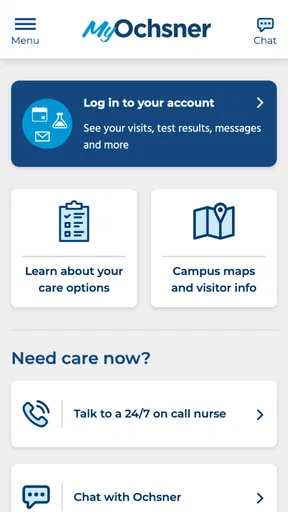
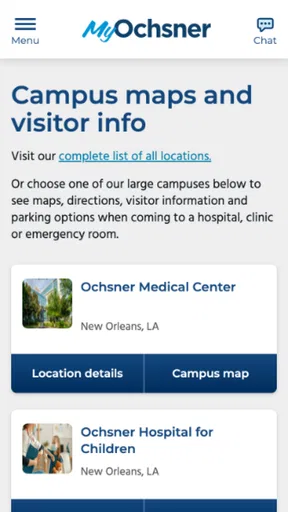
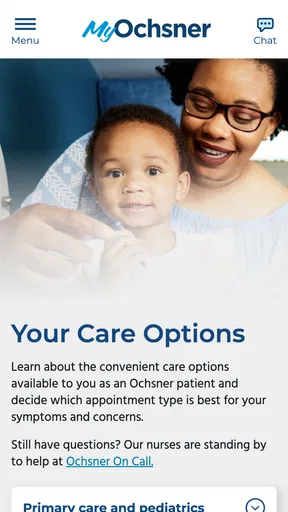
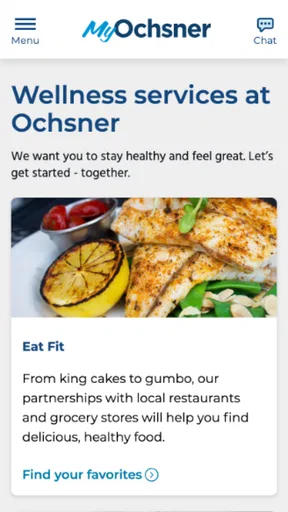
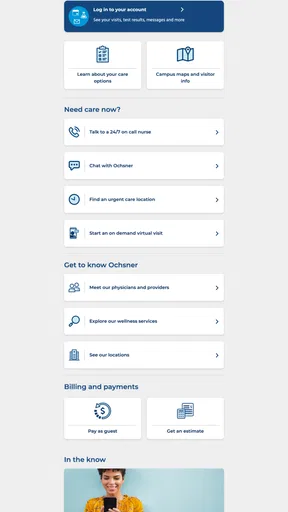
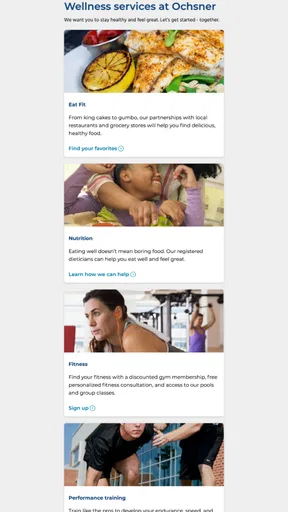
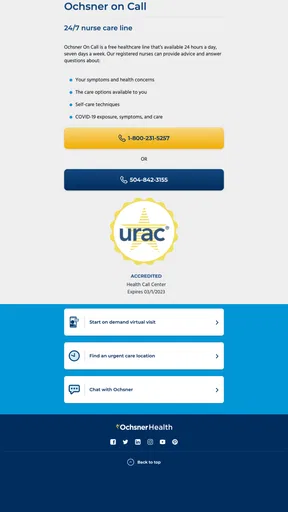
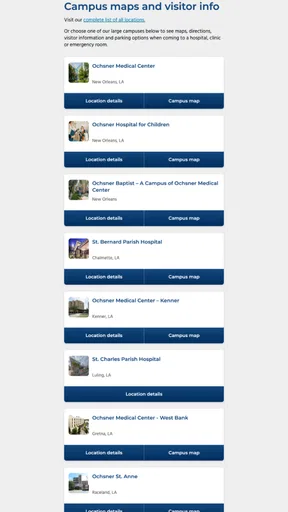
Our Review of MyOchsner
 Analysis by Appyee
Managing healthcare is rarely difficult because of one complicated task. The trouble usually comes from several small jobs arriving at once: checking a test result, finding an appointment detail, sending a question to a care team, or remembering where a document was saved. MyOchsner brings those kinds of tasks into a mobile medical app from Ochsner Health System, and I found its main value in reducing the need to switch between phone calls, paper notes, and separate digital tools.
It is free, available for Everyone, and belongs to the Medical category. The app has built a solid audience, with more than one hundred thousand installs, a 4.3 average from around one and a half thousand ratings, and hundreds of written reviews. Those figures suggest a useful level of adoption, but they do not tell the whole story. The important question is whether the app fits the way you actually receive care. In my experience, it works best as a steady companion for people who already use Ochsner services and want a clearer routine for handling everyday health administration.
How I built a reliable everyday workflow
I built this routine around reducing last-minute searching, so this section looks at how to make repeat visits easier without turning the app into another task to manage. I also consider how a few deliberate checks can help when information or a response is not where I expected it. From there, I’ll look at the faster habits that help regular use and the limits that still matter.
Starting with the tasks that matter most
My first recommendation is not to explore every screen immediately. I would begin by identifying the three things you are most likely to need: appointments, health information, and communication with your care team. That simple starting point makes the app feel less like a large medical filing cabinet and more like a practical dashboard.
For example, imagine that you have a follow-up visit coming up and recently had laboratory work completed. Instead of searching through messages or calling to ask whether the result is available, you can use the app as the first place to check. If you need clarification, the communication function gives you a more organized route than writing down a question and hoping you remember it during the visit.
I also like the idea of treating the app as a preparation tool rather than only an emergency reference. Before an appointment, I can review the information already available, make a short list of questions, and check the visit details. That creates a better conversation with a clinician because the limited appointment time is spent discussing the issue instead of reconstructing basic details.
The strongest baseline habit is to open MyOchsner at a regular point in your healthcare routine. I would check it after a visit, before a scheduled appointment, and whenever I am expecting a result or response. This is more dependable than opening it only when something feels urgent. Medical apps are most useful when they become part of a repeatable process, not when they are treated as a digital drawer that is forgotten until needed.
What the app is good at replacing
MyOchsner can reduce the need for several familiar alternatives. It is more convenient than keeping appointment cards in a wallet, easier to search than a pile of printed paperwork, and less disruptive than calling a clinic for every routine question. That does not mean it replaces every part of healthcare administration, but it gives me a sensible first stop for information connected with Ochsner care.
Compared with a general calendar, it has the advantage of keeping appointment-related information closer to the health record rather than separating the date from the medical context. Compared with a notes app, it is more appropriate for checking information that belongs in the provider’s system. Compared with a phone call, it can make non-urgent communication easier to organize, although a message is not a substitute for immediate help.
This distinction matters. I would not use MyOchsner as an emergency service or wait inside the app when a serious symptom needs urgent attention. The app is designed for managing care information and routine contact, not for replacing emergency services or professional judgment. Knowing that boundary is part of using it well.
Making the first session less frustrating
When I set up a healthcare app, I prefer to do it when I am calm rather than while standing in a waiting room or dealing with a stressful symptom. Take a few minutes to sign in, look through the main areas, and confirm that the information you expect to use is easy to find. If you share responsibility for a family member’s care, it is also worth thinking ahead about whose information you need and how you will access it through the arrangements available to you.
I would keep notification choices practical. Alerts about appointments or new information can be useful, but too many interruptions can make an app feel noisy. A good rule is to allow reminders that support action and avoid turning every update into a reason to check the phone immediately. The exact choices available can depend on the account and device, so I would review them directly instead of assuming the app will behave like a general messaging service.
Settings and habits worth checking
MyOchsner is currently at version 11.8.3 and requires at least iOS 11. That makes the app accessible to a broad range of supported Apple devices, but I would still keep the operating system and the app reasonably current. Medical information deserves the same update discipline as banking or email, especially when a newer release is already installed on the device.
One useful setting to review is how alerts appear on the lock screen. Health-related notifications can reveal more than you want someone nearby to see. I prefer a balance where I know that something needs attention without displaying sensitive details in a public place. This is not a reason to disable every notification; it is a reason to choose privacy-aware display behavior on the phone itself.
Another practical check is whether the app has permission to send notifications. If appointment reminders never appear, the problem may be the device’s notification settings rather than the app’s healthcare functions. I would also check whether the phone has enough free space and whether the app opens normally before an important appointment. Small preparation steps are less stressful than troubleshooting when a result or message is time-sensitive.
For privacy, I would use a device passcode and avoid leaving the account open on a shared phone. If you use a tablet or another family device, think carefully about who can unlock it. A healthcare app is only as private as the device and account habits around it. MyOchsner can centralize information, but centralization also makes basic security routines more important.
Using the app before, during, and after an appointment
The most effective workflow I found is divided into three stages. Before the appointment, I check the schedule and review any information that may help me prepare. During the visit, I use the app as a reference when I need to confirm what is already recorded, while still listening to the clinician rather than trying to document every detail through the phone. Afterward, I return to the app to review the resulting information and note any follow-up action I need to remember.
This pattern avoids a common mistake: expecting one screen to answer every question. A medical record is not always a complete explanation, and a scheduled visit is not the same as a treatment plan. I use the app to locate information and maintain continuity, then ask a healthcare professional when interpretation is needed.
A particularly useful habit is to write down questions before opening a message thread or appointment page. Otherwise, it is easy to remember the general concern but forget the exact detail that prompted it. Preparing the question first also helps me decide whether the issue belongs in a routine message, should wait for a visit, or needs more immediate attention elsewhere.
Faster patterns, advanced limits, and my verdict
Once the basic routine is in place, I focus on making common actions feel less scattered while keeping expectations realistic. I’ll weigh which shortcuts are genuinely useful, where a focused Ochsner app is less convenient than a broader alternative, and who is most likely to benefit from keeping it on their phone.
Shortcuts that make repeat use easier
Experienced use of MyOchsner is less about discovering a secret feature and more about removing repeated decisions. I would keep the app in an easy-to-reach location on the phone, use the same checking routine after every visit, and review appointment information at a predictable time. These small shortcuts matter because healthcare administration is often handled when attention is already divided.
Another efficient pattern is to group related actions. If I open the app to check an appointment, I can also review whether there is a new piece of information or a question I need to send. If I am preparing for a visit, I can gather my questions in one note first and then use MyOchsner to verify the relevant details. This prevents repeated logins and reduces the chance of forgetting why I opened the app.
I would also avoid sending several separate messages about one issue unless the care team asks for that. A concise message with the relevant context is easier to understand than a series of fragments sent minutes apart. The app can help organize communication, but the quality of the communication still depends on how clearly the patient explains the concern.
For families, the best workflow is to decide in advance who checks which information and who is responsible for follow-up. Without that agreement, a shared healthcare task can still become confusing even when the digital record is centralized. MyOchsner supports access to care information, but it cannot create a family communication plan by itself.
Where I noticed friction
The app’s usefulness is closely tied to the Ochsner relationship. If you receive care from several unrelated health systems, MyOchsner will not become a universal replacement for every portal, record system, or clinic phone line. You may still need other apps or websites for providers outside Ochsner. In that situation, a general health organizer may be better for viewing your whole healthcare life in one place, while MyOchsner remains the more relevant tool for Ochsner-connected information.
There is also a difference between access and understanding. Seeing a result or appointment detail quickly is convenient, but the app does not remove the need to interpret medical information carefully. Some users may feel anxious when they see unfamiliar terminology without immediate context. I would avoid drawing conclusions from a single entry and would use the appropriate clinical communication route for clarification.
Notifications can be helpful, but they can also create pressure. A new alert may feel urgent even when the underlying task is routine. I recommend checking the message or record when you have enough time to read it properly, unless the situation itself requires immediate medical attention. The app improves access; it does not automatically improve emotional timing.
Finally, people who dislike managing accounts, notifications, and digital records may find a phone call or in-person conversation simpler for some tasks. That is not a failure of the app. A mobile portal is most valuable when it matches the user’s habits. If you rarely carry a smartphone, frequently share devices, or prefer paper instructions, the traditional route may be more comfortable for certain parts of care.
Who should use it and who should choose something else
I would recommend MyOchsner to Ochsner patients who want a dependable way to keep up with appointments, review available health information, and handle routine communication without relying on memory or repeated calls. It is especially useful for people managing recurring visits, follow-up care, or a busy schedule where small administrative details are easy to lose.
It can also suit a caregiver who has permission to help another person manage care, provided the account and device arrangements are handled responsibly. The real benefit in that situation is continuity: questions, dates, and available information are less likely to be scattered across text messages and paper reminders.
I would choose another option as the main tool if you need one place to combine records from many unrelated providers, or if your priority is symptom tracking, fitness monitoring, medication reminders, or general wellness rather than Ochsner care administration. Those needs belong to different types of apps. MyOchsner is more focused, and that focus is both its strength and its boundary.
My final assessment after building a routine
MyOchsner is not trying to be a general-purpose health coach, and I think that is a sensible approach. Its value comes from putting provider-connected information and routine care tasks closer to the patient. The free price removes an obvious barrier, while the Everyone age rating makes it approachable for a wide audience. The developer, Ochsner Health System, gives the app a clear healthcare context rather than leaving users to guess which organization stands behind it.
My overall impression is positive, with one important qualification: it works best when used as part of a repeatable habit. Open it before appointments, check it after visits, keep notifications and lock-screen privacy under control, and treat messages as a channel for routine communication rather than urgent care. Those habits make the app more useful than simply installing it and waiting for it to solve every administrative problem.
With a 4.3 average and an established base of users, it has earned a reasonable reputation, but I would still judge it by your relationship with Ochsner and the kinds of care you manage. If that relationship is central to your healthcare, this is a practical mobile companion rather than a decorative portal. If your care is spread across many systems or you need advanced wellness tools, it may be only one piece of a larger setup.
For the right patient, that focused role is enough. I would keep it installed, use it deliberately, and rely on it for the everyday details that are easy to postpone but important to keep organized. It does not replace a clinician, an emergency service, or good judgment, but it can make the ordinary work of staying connected to Ochsner care noticeably easier.
Verdict
Strengths of MyOchsner
- Secure access to appointments, records, test results, and bills in one place.
- Easy appointment scheduling with participating Ochsner providers.
- Prescription refill requests and medication information are convenient.
- Supports secure messaging with care teams for non-urgent questions.
- Telehealth options can reduce unnecessary trips to the clinic.
Limitations of MyOchsner
- Most features are limited to Ochsner patients and participating providers.
- Some test results may appear before a doctor has reviewed them.
- The app requires reliable internet access for many functions.
- Notifications and messaging may vary by department or provider.
- Billing details can be difficult to understand without additional assistance.
Similar Picks in This Category
View All
WebMD: Symptom Checker
WebMD, LLC4.1

Microphone Amplifier
DOSA Apps4.2

Anatomy Learning - 3D Anatomy
3D Medical OU4.5

Period Tracker and Calendar
SimpleInnovation4.9

GoodRx: Prescription Coupons
GoodRx4.8

CVS Health
CVS Pharmacy4.5
Frequently Asked Questions
What is MyOchsner, and what can I use it for?
MyOchsner is Ochsner Health’s patient portal app for managing many healthcare needs from an Android or iOS device. After signing in, patients can review medical information, see upcoming appointments, request or manage visits, communicate with participating care teams, view test results, and access certain billing or prescription features. Available tools can vary depending on your location, provider, and Ochsner services.
How do I create an account or sign in to MyOchsner?
To use MyOchsner, you generally need to be an Ochsner Health patient and have an activation code or another approved method of identity verification. The app may allow you to sign in with an existing MyOchsner account, create access through the registration process, or recover forgotten credentials. Follow the on-screen instructions carefully, and contact Ochsner support if your information cannot be verified.
Can I schedule appointments and communicate with my doctor through the app?
MyOchsner can make appointment management more convenient by allowing eligible users to view upcoming visits, request or schedule certain appointments, and receive reminders. The app may also provide secure messaging with selected healthcare professionals or departments. However, not every appointment type or provider supports online scheduling and messaging, so some requests may still require a phone call.
Can I view test results, medications, and medical records in MyOchsner?
Depending on your Ochsner account and the information released by your care team, MyOchsner may let you review laboratory results, visit summaries, medications, allergies, immunizations, and other parts of your electronic health record. Results can sometimes appear before a clinician has discussed them with you, so confusing or concerning information should be reviewed with your healthcare provider rather than interpreted independently.
Is MyOchsner secure, and should it replace emergency medical care?
MyOchsner is designed for private healthcare communication and typically uses account authentication and secure connections, but you should still protect your password, enable device security, and avoid accessing the app on shared devices. It is not intended for emergencies or urgent symptoms. Call your local emergency number or seek immediate medical attention when rapid care is needed, instead of waiting for an app response.
